
🎯 Deterministic
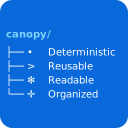
Skills run identically every time. The tree is explicit — no interpretation, no drift.





AI skills as executable code, not prose.
AI skills written as prose are instructions. Instructions get interpreted. Interpretations drift. When a skill fails, you’re re-reading sentences trying to figure out which one was misunderstood. When it works, you’re not entirely sure why it did.
Canopy makes skills programs.
Skills run identically every time. The tree is explicit — no interpretation, no drift.
Define DEPLOY, VERIFY, ROLLBACK once in ops.md. One change keeps every skill that uses them in sync.
The tree shows execution order before anything runs. When it fails, the failing node is obvious — no re-reading prose.
schemas · templates · commands · constants · policies · verify. Find what you need instantly.
Meta-framework on the spec — same SKILL.md, same install, same compatibility field. Nothing canopy-specific leaks.
Deterministic trees + explicit primitives let workflow engines (LangGraph, AutoGen, CrewAI, Goose) drive skills without prompt-engineering the control flow.
Write once; runs on Claude Code and GitHub Copilot unchanged. The interpreter adapts at runtime.
VS Code extension: completions, hover docs, go-to-definition, live diagnostics. Broken op references surface before the skill runs.
/canopy scaffolds, validates, improves, and converts for you. No syntax to memorize before you ship your first skill.
The tree is the source of truth. The platform is just a detail.
Every Canopy skill is a SKILL.md file (uppercase, exact spelling per the agentskills.io spec) — platform-agnostic by design. When a skill runs, the canopy agent detects whether you’re on Claude Code or GitHub Copilot, loads the matching runtime spec, then executes the tree using platform-appropriate primitives. The same skill file works on both platforms without modification.
Here’s a complete skill — frontmatter, execution tree, and all:
---
name: release
description: Bump version and update changelog.
compatibility: Requires canopy-runtime — kostiantyn-matsebora/claude-canopy
metadata:
  argument-hint: "[major|minor|patch]"
---

> **Runtime required.** canopy-runtime must be active.

Parse `$ARGUMENTS` for bump tier (defaults to `patch`).

## Tree
* release
  * **EXPLORE_TARGET** >> ctx
  * SWITCH << $ARGUMENTS
    * CASE << major
      * BUMP_MAJOR << ctx.version >> new
    * CASE << minor
      * BUMP_MINOR << ctx.version >> new
    * DEFAULT
      * BUMP_PATCH << ctx.version >> new
  * SHOW_PLAN >> new | ctx.files | changelog
  * ASK << Proceed? | Yes | No
  * IF << No
    * END Cancelled.
  * PARALLEL
    * **WRITE_VERSION** << ctx.files | new
    * **WRITE_CHANGELOG** << new
  * VERIFY_EXPECTED << assets/verify/release.md

## Rules
* Never write without SHOW_PLAN + ASK confirmation.

## Response: new | files_bumped | changelog_status
Subagent dispatch via
**OP_NAME**markers, multi-waySWITCH/CASE, parallel writes viaPARALLEL, plus a plan/confirm gate and post-execution verify — this is Canopy in action.
Claude Code — inside a session, no external CLI needed:
/plugin marketplace add kostiantyn-matsebora/claude-canopy
/plugin install canopy@claude-canopy
GitHub Copilot — one-shot install script:
curl -sSL https://raw.githubusercontent.com/kostiantyn-matsebora/claude-canopy/master/install.sh | bash -s -- --target copilot
irm https://raw.githubusercontent.com/kostiantyn-matsebora/claude-canopy/master/install.ps1 | iex -Target copilot
Both install all three skills (canopy-runtime, canopy, canopy-debug) and self-activate the runtime on first agent load. After install, run /canopy help to see what’s available.
For all install paths, flags, the authoring-vs-execution split, updating, and the /canopy operations reference, see Getting Started.
Full install paths, the /canopy operations reference, and a first-skill walkthrough. →
How Canopy thinks about skills — tree, ops, subagents, the execution model, the runtime/authoring split. →
Glossary — one-sentence definitions for every Canopy term, each linked to the relevant deep-dive. →
Formal spec: framework grammar, primitives, per-platform runtime rules. →
IntelliSense, semantic diagnostics, hover docs, and go-to-definition for canopy skills. →
A working project to learn from — example skills, vendored framework. GitHub →
MIT — see LICENSE.